What "available speed" actually means at your address
Provider advertising is dominated by maximum theoretical speeds that most homes never see under normal conditions. When a provider advertises "up to 1 Gbps," this is the maximum speed of the infrastructure type, not a guarantee of what you'll receive at your specific address on an average Tuesday evening.
The first step for any renter is to use Ofcom's postcode availability checker — or the individual provider's address checker — to see what infrastructure types are actually available at your specific address. There are three relevant infrastructure types for most UK renters:
- FTTC (Fibre to the Cabinet): The older standard, where fibre runs to a green cabinet on the street and the final connection to your property is copper. Download speeds typically 30–80 Mbps, upload typically 5–20 Mbps. Still the most widely available type, especially in older properties.
- FTTP (Fibre to the Premises, or "full fibre"): Fibre runs directly to your property. Speeds typically 150 Mbps to 1 Gbps down, 50–100 Mbps up or more. Increasingly available in new developments and areas covered by Openreach, CityFibre, or other alternative network providers.
- Cable (Virgin Media's network): Coaxial cable infrastructure covering roughly half of UK premises. Speeds comparable to FTTP but upload speeds have historically been more limited than symmetrical full-fibre offerings.
If FTTP is available at your address and you work from home or have multiple heavy users, it's worth considering even if the monthly cost is higher. The upload speed difference — often 10–20 Mbps for FTTC versus 50–100 Mbps for FTTP — matters significantly for video calls and file uploads.
What landlords can and can't say about broadband
A landlord cannot prevent you from ordering broadband in a rented property. However, the method of installation is where complications can arise. Most standard broadband connections use an existing telephone socket (for FTTC) or an existing fibre entry point (for FTTP if already built into the property). These require no new drilling or physical alteration to the building.
Where landlord consent becomes relevant: if a FTTP installation requires new ducting to be run through the building's structure, or if you're in a flat in a multi-occupancy building where the communal infrastructure needs to be accessed. In these cases, the provider's engineer may need building owner or landlord sign-off before proceeding. This is most common in listed buildings, properties with complex shared ownership structures, or buildings with active management companies.
Some tenancy agreements prohibit any form of drilling or affixing to walls, which could theoretically conflict with broadband installation work. In practice, standard residential broadband installation doesn't drill into walls — engineers typically route cables along skirting boards with clips, not through structural elements. If your agreement has very restrictive clauses, it's worth checking with your landlord before booking an installation appointment, but don't assume installation is impossible without checking.
There is one exception to the landlord-says-nothing principle: if your utilities are included in your rent, and the landlord provides broadband as part of that arrangement, you're using their connection rather than your own. In this case, the speed and provider are their decision, not yours. If the service is inadequate for your needs, you'd need to negotiate or set up your own separate connection.
Contract length and moving risk
Most broadband contracts are 18 or 24 months long. For renters, this creates a meaningful tension: a 24-month contract offers lower monthly pricing and sometimes a better equipment deal, but if you move before the contract ends, you face early termination charges that can range from the full remaining monthly fees to a capped amount depending on the provider's terms.
We're not saying long contracts are always a bad choice for renters — if you're in a stable tenancy with at least 18 months remaining, the savings can be real. But if you're on a periodic tenancy or have any uncertainty about your next 12 months, a rolling monthly contract (increasingly available from most providers at a modest price premium) gives you flexibility to move without penalty. Some providers offer "Home Mover" guarantees that allow you to transfer your contract to your new address without an early termination charge — worth asking about specifically, because it's not always advertised prominently.
Router placement and signal in typical rental properties
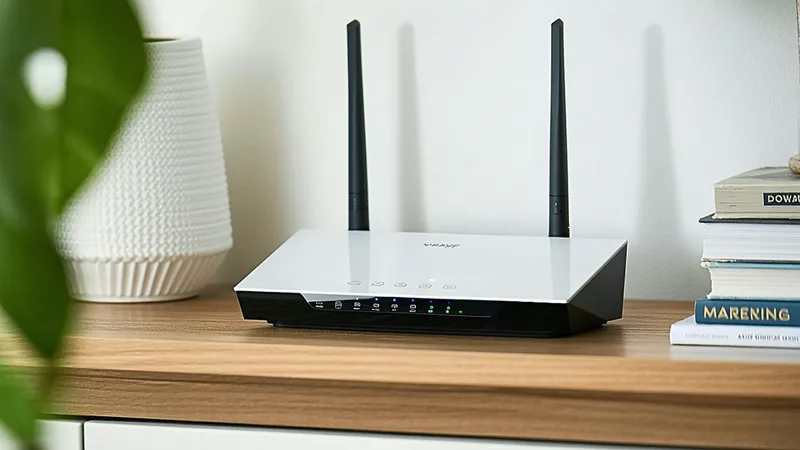
For FTTC connections, your router plugs into a phone socket — usually in a hallway or living room. In larger flats or houses, Wi-Fi signal attenuation through walls and floors can significantly reduce speeds in bedrooms. If your main router is in the hallway and your bedroom is at the other end of the property through multiple walls, the speed you receive in the bedroom may be 30–50% of what the router would show if directly connected.
Powerline adapters (which send network data through your property's electrical wiring) and mesh Wi-Fi systems are both renter-friendly solutions that don't require drilling or permanent installation. For a one or two-bedroom flat, a mesh node in the bedroom reduces coverage issues without any landlord permission concerns.
Installation lead times: the detail that catches people out
Standard FTTC broadband installations take approximately 10–14 working days from order to activation. FTTP installations where a new connection is being built to the property — rather than simply activating existing infrastructure — can take 21 days or longer, and may require a specific appointment for an engineer to attend. Cable broadband timelines are similar to FTTC where infrastructure already exists.
This lead time means broadband is the utility you should order first among those requiring active setup, ideally in the week before or the first week after you move in. A two-week wait without home internet when you're trying to work from home is a significant quality-of-life issue that's easy to avoid by ordering early.
What Arrival handles for broadband setup
When you register with Arrival, your broadband selection is part of the initial 10-minute setup form. You choose your preferred speed tier (standard FTTC equivalent, or full-fibre where available at your address), and Arrival books the installation on your behalf with an Ofcom-approved provider in your region. The broadband cost is included in your consolidated monthly direct debit alongside energy, water, and council tax, with the per-category breakdown visible in your dashboard.
If you have specific broadband requirements — a particular provider, a preference for a rolling contract, or a specific installation type — these can be noted in your setup form and Arrival will accommodate them where available. The goal is to handle the process, not to override your preferences.